Choosing how to enjoy Casoo Casino on your phone comes down to two strong choices — the dedicated app or the browser version. Both open the door to the entire game selection, your account management, and every promotion, but they accomplish this in somewhat varied ways. The app offers you an interface optimized for touchscreens, navigation that operates without hiccups, and direct hooks into your device that a browser simply cannot provide. The mobile site, on the other hand, requires no memory, no installation, and works on any recent smartphone no matter what OS version you’re using. If you prefer to dive in right now, the browser gets you going. If you prefer a tighter, more refined feel with a potential advantage in speed, the app makes a strong case. The variations in how they function, how they handle security, and how they keep you updated all matter when you’re picking the approach that fits the way you bet. Let’s go through what sets them apart so you can pick with confidence.
Download and Installation Procedures
Acquiring the Casoo app onto your handset is not like opening the mobile site, and a few simple steps are useful knowing to stay safe. You begin by navigating to the official Casoo website directly from your device. The site identifies your operating system and directs you to the right installation file. Android users must to flip a security setting to allow installs from unknown sources — this is normal for real-money gaming apps that operate outside the Google Play Store. Once the APK finishes downloading, the installation wizard activates and concludes in under a minute if your connection is good. After that, a Casoo icon appears on your home screen, ready for next time. iOS users experience an even smoother ride: the app usually becomes available through Apple’s App Store or as a configuration profile that fits neatly into the Apple ecosystem. Skip the app, and you bypass all of this. With the mobile browser, you type the Casoo URL, sign in, and you’re playing. There are no updates to pursue, no storage warnings to swat away, and no compatibility checks to worry about. For casual gaming or if you bounce between different phones and tablets, the browser is as easy as it gets.
Game Collection Access and Device Support
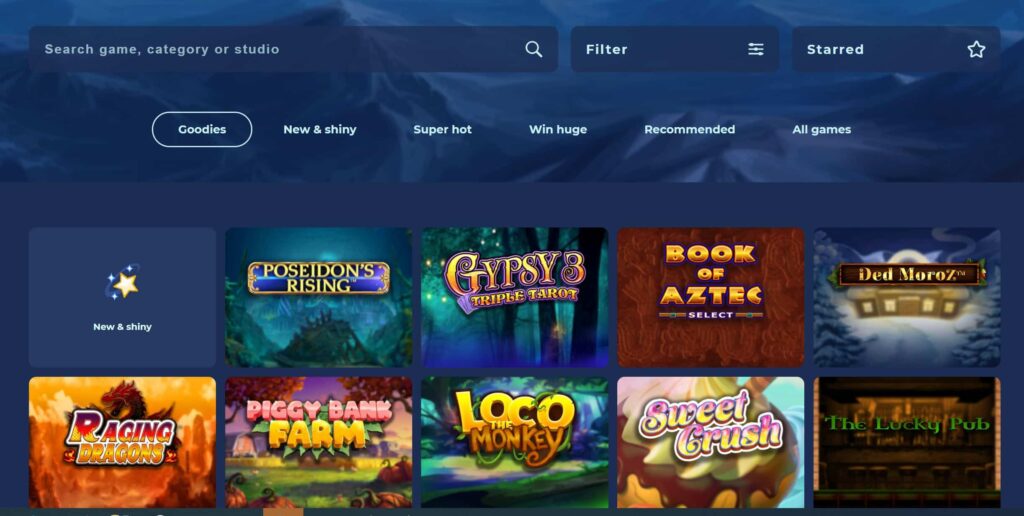
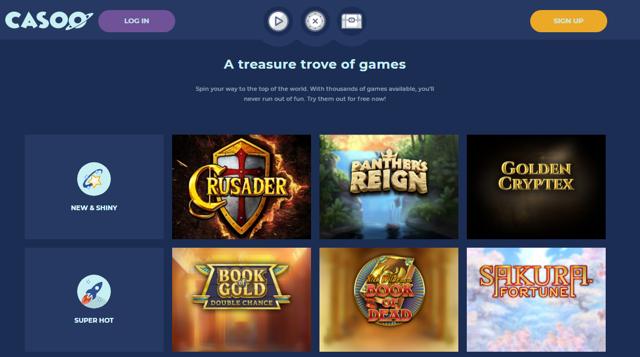
The whole Casoo game catalog is accessible to you if you fire up the app or open the mobile site. Slot machines, table games, live dealer streams, instant-win titles — they all use HTML5 and scale to fit your screen without any fuss. The app adds a few small comforts. Tailored game suggestions use preference data stored locally, and your recently played list remains even after a restart. Search tools respond faster because the app caches the index of categories and providers, so filtering through hundreds of titles feels quick. The mobile browser makes up for its stateless setup by loading server-side personalization once you log in. Preferred games and recently touched games appear front and center without needing local storage. Live dealer games are worth a special mention because their adaptive bitrate streaming modifies video quality on the fly based on your connection speed. That works exactly the same through both channels, giving you smooth playback at the right resolution. Table games with complex betting grids and multiple action spots are thoroughly optimized for touch, with buttons spaced to avoid fat-finger mistakes during fast rounds. No matter which way you play, you get the same games, the same quality, and the same experience across the entire library.
Space Needs and Management of Device Resources
The storage footprint of each choice and its impact on your phone’s resources are important factors to consider. The app Casoo Cassino initially uses approximately 80 to 150 megabytes. That’s small by today’s app standards, but it will increase as game assets pile up in the cache. If you engage with a wide variety of slots and live tables, you could observe the app’s storage swell over weeks of regular use. The platform usually includes a cache-clearing tool in its settings so you can free up space when needed. Background activity is negligible when you’re not playing, so battery drain is minimal. During actual gameplay, the app and the browser both utilize the graphics processor and keep the network alive, so battery life takes a similar hit either way. The mobile browser leaves no permanent footprint beyond what the browser itself temporarily caches. If you’re watching your device storage or prefer to keep your app list lean, that’s a https://www.winnipegfreepress.com/canada/2023/07/25/toronto-police-dog-shot-dead-during-search-for-armed-suspect real plus. The trade-off is that each new session fetches interface elements anew. With modern connection speeds, you’ll scarcely notice. Both the app and browser stresses RAM or processor in any unusual way. Casoo builds its platform to function well on a range of common devices, not just top-tier flagships.
Security Measures and User Safety
Casoo takes security seriously on both fronts, but the protections are integrated a little differently, and some points might be relevant to you. The app utilizes pinned SSL certificates to secure its connection. That means it verifies the server’s identity against a locally stored value rather than just relying on your device’s certificate store, which blocks certain interception tricks that could slip past a browser on a compromised network. Biometric login is another app-only perk. If your phone has fingerprint or face recognition, you can set it up to quickly access the app without inputting your password every time. This convenience actually encourages you to a long, unique password because you won’t have to type it again constantly. The app also stores its data sandboxed away from other apps, so casual data leaks through shared caches are not a concern. The mobile browser leans on the security muscle built into your browser itself — automatic updates, sandboxing, and phishing filters. Session management through the browser uses cookies, and the casino’s security policy may terminate your session after a while. That periodic re-authentication serves as a safety net if you step away from your phone or use a shared device, making it harder for someone else to breach your account.
Performance metrics and Page Load Analysis
Performance metrics is where the mobile app and browser really diverge. The application comes with a large portion of its graphics, game sections, and essential parts installed during installation. That means startup times average two to three seconds on a mid-tier phone, and switching between cached sections feels nearly immediate. Game load times gets another boost from stored shared libraries — slot engines and animation libraries stick around, so once you’ve loaded one game from a supplier, the next ones from that same studio begin more quickly. You notice this most when you are trying a number of games in one go. The application also manages data differently, using lean API calls and preserving data for the game streams themselves instead of retransmitting UI elements. The mobile browser does a decent job on a stable LTE or Wi-Fi connection, displaying games through HTML5 that adjusts to your screen size and processor. A fresh page load might take five to eight seconds, depending on signal strength, because the browser grabs stylesheets and scripts from the server each time. But today’s caching reduces a lot of that gap during a one session. If your device is older or your internet is unstable, the performance gap between application and browser becomes more apparent — the downloaded app tends to feel snappier.
Interface Design and Exploration Experience
The Casoo app’s interface is built particularly for mobile — touch targets are scaled right, gestures operate as you’d expect, and the screens move smoothly in both portrait and landscape orientations. Menus slide in and out of expandable drawers, game tiles scale on their own, and the whole layout maintains coherence across different display sizes. Jumping between the casino lobby, live dealer area, promos, and the cashier is a single tap on the icon bar anchored at the bottom of the screen. That navigation bar sticks around during most actions, so you waste less time finding your way. The app also stores parts of the interface locally, which means screen changes appear immediate and don’t wait on a server response for every tap. The mobile browser version is fully responsive and appears tidy, but it has to handle the browser’s own frame — the address bar, tab buttons, and menus take up the screen until you manually go fullscreen. Scrolling can vary slightly depending on which browser engine you’re using, and if you step away from the tab for a while, it may refresh when you come back. Still, nothing is hidden. Every feature from the desktop platform is there, and you won’t be missing just because you bypassed the install.
Notifications and Live Updates
Push notifications are the one area where the app does something the mobile browser simply can’t compete with. Once you grant permission during setup, the app can push updates for time-sensitive promos, event countdowns, bonus expiration alerts, and custom deals tied to how you play. These land in your phone’s notification center, where you can categorize them, rank them, and view more details with a long press. You stay in control of which notification types stay active and can silence unwanted alerts, so your lock screen isn’t transformed into a spam zone while you still catch the genuinely useful stuff. Table game notifications are a favorite — you can claim a place at an upcoming table and get a ping right before it starts. The browser doesn’t have this feature. Browser-based push notifications are hit-or-miss on mobile and usually turned off by default. Without the app, you’ll must look at the promotions page yourself or use email to know about limited-time deals. This alone convinces plenty of regular players to get the app, because skipping deals month after month can accumulate over time. Both the app and the browser maintain session balances and updates updated instantly with your account, so your money and play history are always up to date no matter which path you take.
When all is said and done, whether you stick with the Casoo app or the mobile browser depends on what you prioritize most — raw convenience, speed, or how deep you want the experience to go. The app offers you a slick interface, push alerts, biometric security, and faster loads in exchange for a modest chunk of storage. The browser responds with instant access, no storage hit, and the freedom to move between devices without a second thought. Neither path cuts corners on the core experience: you get the full game lineup, safe transactions, and responsive support. A lot of players realize that keeping both options works best — the app for daily play, and the browser for quick sessions on a friend’s device or when storage gets tight for a while.